
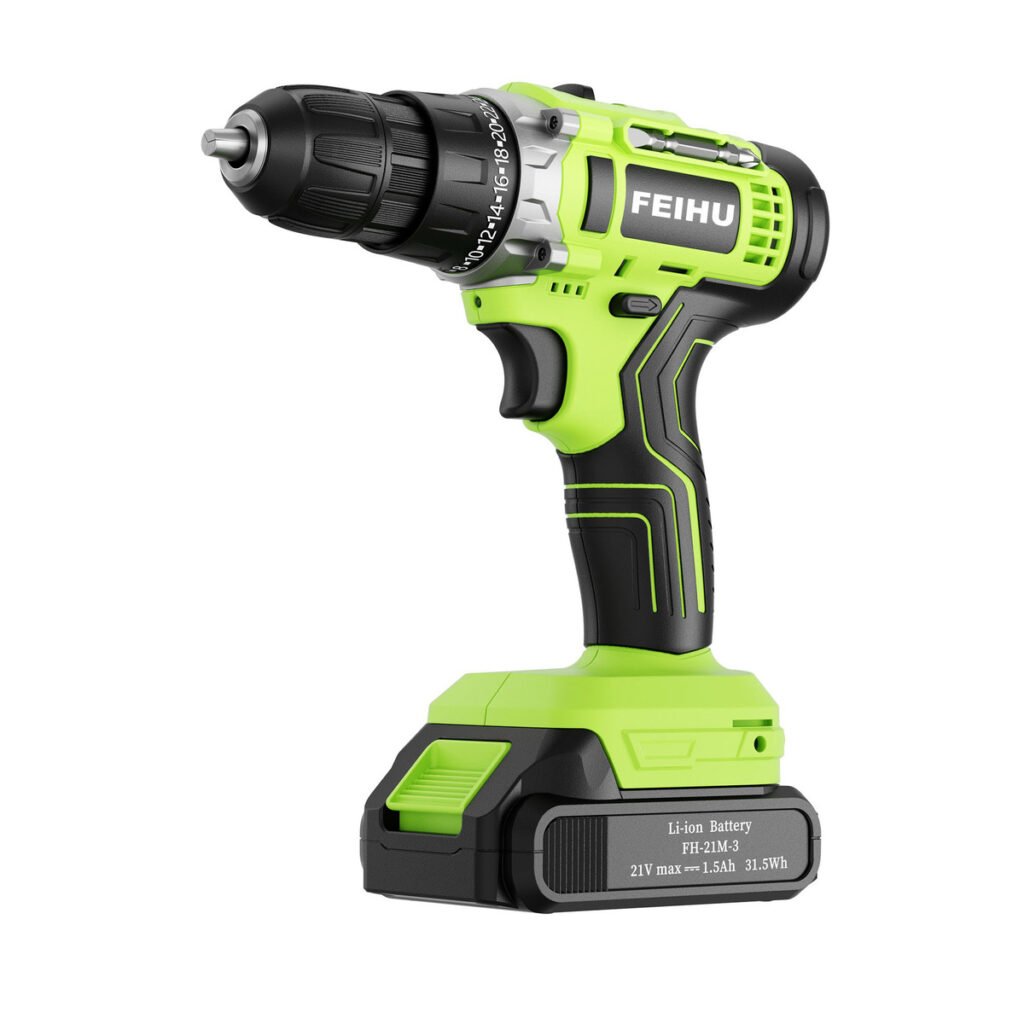
A cordless drill, impact driver and impact wrench serve different jobs. A drill driver is a practical starting point for drilling holes and controlled screwdriving. An impact driver is primarily a fastening tool for compatible driver bits. An impact wrench usually accepts sockets for nuts and bolts. Choose the application first, then compare the exact model and accessories.
For importers and distributors, this distinction helps build clear product listings and a range with a defined role for each tool. A similar body shape or battery voltage does not make the three types interchangeable.
Quick comparison
| Tool type | Common accessory connection | Typical buying purpose | Key checks |
|---|---|---|---|
| Cordless drill driver | Adjustable chuck | Drilling and screwdriving within the model’s capabilities | Chuck capacity, speed settings, clutch and stated drilling capacities |
| Impact driver | Usually a 1/4-inch hex holder | Driving compatible screws and other fasteners | Bit compatibility, control modes and intended fasteners |
| Impact wrench | Usually a square drive for sockets | Tightening and loosening suitable nuts and bolts | Drive size, torque definitions, operating modes and impact-rated sockets |
These are common configurations. Combination driver/wrench models also exist, so check the actual connection rather than relying only on a catalogue name. Bosch’s product guidance shows different hex and square-drive configurations.
What a cordless drill driver is for
A drill driver combines drilling and screwdriving functions. Its adjustable chuck accepts suitable drill or driver accessories within the specified capacity. Many models include an adjustable clutch for screwdriving and multiple speed ranges; the exact features must be checked on the product specification.
When comparing models, record the intended material, hole size, fastener type and working conditions. Ask which published capacities apply to those tasks. A higher headline number is not enough to establish whether a tool suits a particular job.
A hammer or combi drill adds a separate hammer-drilling function on applicable models. This is different from the rotational impact action of an impact driver or wrench. Do not assume every cordless drill has a hammer mode. See Bosch’s drilling and screwdriving guide for the distinction between drill categories.
What an impact driver is for
An impact driver is commonly chosen for repetitive fastening with compatible hex-shank accessories. It delivers rotational impacts as part of its fastening action. DEWALT’s explanation describes the pulsing twisting force shared by impact drivers and impact wrenches.
Check the bit holder, available control modes, intended fasteners and accessory requirements. For delicate fastening, consider how the model controls speed and impact action. Follow the tool and fastener instructions instead of treating maximum output as the default setting for every task.
Some compatible hex-shank drilling accessories can be used with an impact driver where the tool and accessory manufacturers permit it. That does not make it a universal replacement for a drill driver. Bosch’s impact-driver guidance explains the hex-holder format and accessory considerations.
What an impact wrench is for
An impact wrench commonly uses a square drive and suitable impact-rated sockets for threaded fasteners. Buyers should specify the drive size, typical fastener range and intended working environment before comparing models.
Read torque figures carefully. Fastening torque and breakaway or nut-busting torque describe different capabilities and should not be compared as though they were the same rating. For example, Makita lists fastening and nut-busting torque separately on its product specification.
Where an assembly requires a specified final tightening torque, follow the relevant service procedure and use the required verification equipment. Do not treat an impact wrench’s advertised maximum output as proof of the final torque on every fastener.
How to choose a range for your customers
Write a one-sentence role for each proposed model. A drill driver might serve general drilling and screwdriving customers. An impact driver might serve customers with repetitive fastening work. An impact wrench might serve a workshop or installation application that requires suitable sockets and a defined torque range.
Then compare the full configuration: tool, battery, charger, accessories and packaging. Ask the supplier to confirm battery compatibility for each model. Keep a tool-only quotation separate from a complete kit quotation so the comparison remains meaningful.
Start with the ZM Tools drills and fastening range and our cordless tool selection guide. Request confirmation of availability and configuration for the tool types you need rather than assuming every category is available in every battery system.
Questions to include in your supplier enquiry
- What job, material and fastener will the customer work with?
- Which chuck, hex holder or square-drive size is required?
- Which specification values are relevant to that application?
- Which battery and charger are approved for the exact model?
- Which bits, sockets or other accessories are included?
- Is the quotation for a bare tool or a complete kit?
- Which sample and document checks are needed before order approval?
Frequently asked questions
Is an impact driver the same as an impact wrench?
No. The common accessory connection and intended fastening tasks differ. Check the exact model because combination designs exist.
Is a hammer drill the same as an impact driver?
No. Hammer drilling and impact driving use different actions for different tasks. Choose according to the material, accessory and manufacturer’s instructions.
Can the tools share one battery?
Only if the manufacturer or supplier confirms the exact combination. Voltage labels alone do not establish compatibility.
Build a shortlist around the application
Send ZM Tools your intended applications, destination, model shortlist and quantity. Include the battery, charger and accessory requirements so the enquiry describes a usable configuration.